




Looking for a Shorter Overview?
AI Summary
Key Moments
Causes of the Green Line
Hardware failures like OLED panel damage or heat stress usually cause the green line on screens.Software vs Hardware Diagnosis
If the line doesn't appear in screenshots, the problem is physical, not software-related.Preventing Green Line Damage
Avoid overheating, pressure, and moisture exposure to reduce the risk of screen damage.Permanent Fix Requires Replacement
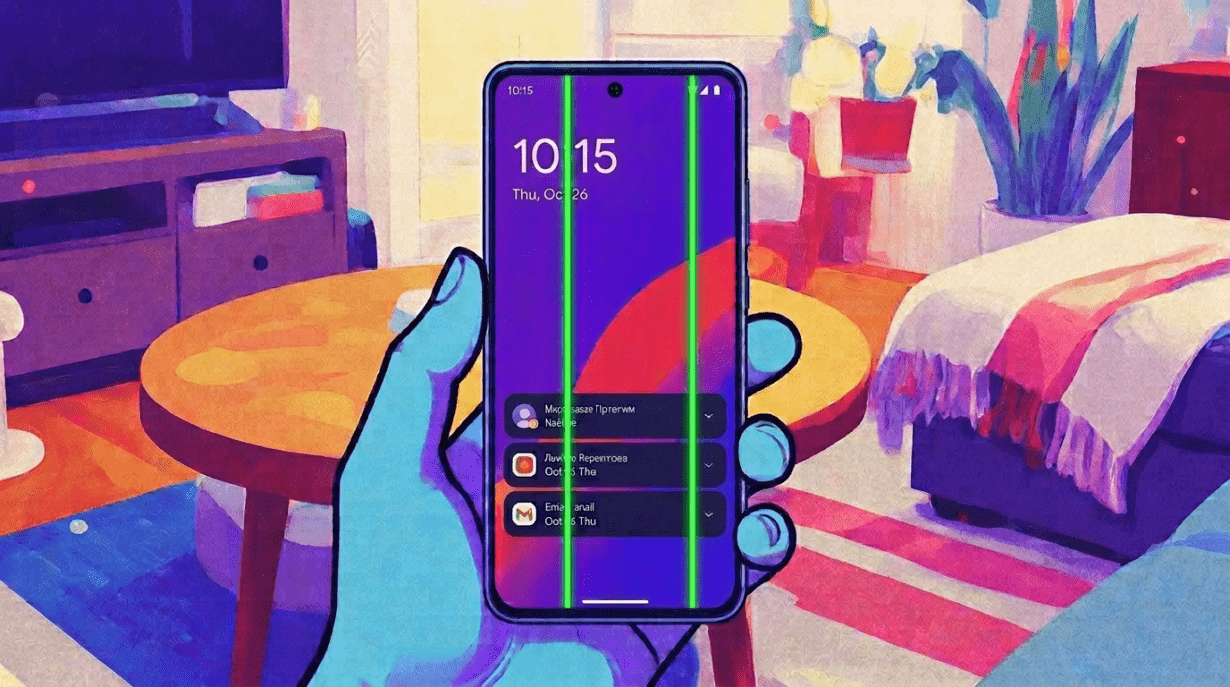
Permanent green lines typically require screen replacement as software fixes rarely help.One day your phone looks perfect. No crack. No fall. No warning. Then suddenly, a thin green line appears from top to bottom of the screen — and it refuses to go away. Fix green line on phone is possible?
This is the famous green line issue, mostly seen on OLED and AMOLED displays. It may look like a software bug, but in most cases, the real problem is inside the display hardware.
What Really Causes the Green Line?
The green line usually appears when one part of the display panel or its internal connection fails. The touch may still work, the phone may still run smoothly, and the glass may look clean — but the OLED layer underneath may already be damaged.
- OLED panel failure: A damaged pixel column or display circuit can create a permanent vertical line.
- Heat stress: Gaming, fast charging, sunlight, or long updates can overheat the phone and expose weak display connections.
- Pressure damage: Tight pockets, hard cases, or pressure near the screen edges can silently damage the display layer.
- Drops and impacts: The glass may survive, but the internal display bonding may become weak.
- Moisture and humidity: Sweat, steam, or small liquid exposure can affect display circuits over time.
- Manufacturing weakness: Some panels may already have weak bonding from the factory.
- Software issue: If the green line is caused by a software problem, fix green line on phone by resetting the phone or re-flashing the firmware. To confirm, take a screenshot. If the line appears in the screenshot, the issue may be software-related. In some models, switching the screen refresh rate has also been reported to temporarily fix or reduce the problem.
What Technicians Usually Say
Most technicians will first check whether the line appears in screenshots. If the green line does not appear in a screenshot when viewed on another device, the issue is usually with the physical display.
If the green line stays after restart, safe mode, and software updates, the display panel usually needs replacement.
That is why service centers often treat permanent green lines as a hardware problem, not a simple software issue.
Did a Software Update Cause It?
Not directly in most cases. A software update can heat the phone and push the hardware for a short time. If the display already has a weak point, that stress may reveal the green line. So the update may look guilty, but the real issue is usually hidden inside the display panel.
How to Prevent It
Fix green line on phone
- Avoid gaming while fast charging.
- Do proper research to check whether a particular phone model is vulnerable to common manufacturing-related defects. A simple Google search can often reveal if similar issues are widely reported by other users of the same model.
- Do not install major updates when the phone is already hot.
- Always update your phone in a cool environment, preferably in an air-conditioned room. Software updates can take time and generate a lot of heat, so updating outdoors or in hot conditions may cause overheating and slow down the cooling process.
- Keep the phone away from direct sunlight for long periods.
- Remove thick cases during heavy charging or gaming. Use of mobile phone coolers is not a bad idea.
- Avoid tight pockets and pressure on the screen.
- Keep the phone away from steam, sweat, and moisture.
- Use good-quality chargers and cables.
- Back up your data if you notice flickering or faint lines.
- Avoid using UV-glue screen protectors, as the adhesive may penetrate the display edges or glued joints and cause screen damage.
- Avoid using mobile phone skins and stickers, as they can significantly reduce heat dissipation and affect the device’s cooling performance.
Final Thought
The green line issue is scary because it appears suddenly, but it is rarely random. Heat, pressure, drops, moisture, and weak display construction can all play a role.
You cannot prevent it 100%, but you can reduce the risk by keeping your phone cool, avoiding pressure, and protecting it from moisture. Once the line becomes permanent, the real way to fix green line on phone is usually screen replacement — not a magic software trick.